|
Welcome to Brunel University London Accommodation
Services - Applying for a room 2017/18 |
|
Dear How can I apply for Accommodation Applications for campus accommodation
are made via the Accommodation Services Student Hub. It could not be simpler, as soon as you have your course offer from
Brunel and are issued a 7 digit Brunel ID number you will be able to submit
your accommodation application online. This includes students who have chosen Brunel
as their insurance choice and students who live in the local area. We will
first ask you to create an online accommodation account using the following:
After you have created an account you
will be able to make an application for campus accommodation. You will be
asked to select your preferred Halls of Residence in
either en suite or standard accommodation. We will
also ask for your mobile number, which will allow us to keep you up-to-date
during the allocation period. We will make every effort to meet
your room preference but you should note that some accommodation types can be
heavily over-subscribed and room/hall preferences are not guaranteed. An
alternative room will automatically be offered. The deadline for room application
forms is Thursday 31 August 2017 however we would advise that you
complete the application as soon as possible in order to give you the best
chance of gaining your preferences. TIP: You may notice that not all our
Halls of Residence will be available for you to pick online as your
preference. This is because certain areas on campus are level of study
specific eg Isambard Complex is a postgraduate and
researcher area. Do I need to pay a booking fee to secure my accommodation? At this stage you are not required to
make a booking fee payment. You will be requested to pay the booking fee when
you are offered a campus room. Room offers are made from April 2017 onwards
at the point you hold an Unconditional Firm offer with the University (for
most of you this will be when the A-level results are released in August).
All single rooms must be secured with a £350 (£450 for studio flats) booking
fee. Payment is required online when you receive your room offer and Licence
Agreement. You will be required to accept your Licence Agreement online and
make payment of your booking fee at the same time by the deadline date stated
on your room offer to secure your campus room. Payment of the booking fee will be
requested online during the online Licence acceptance process. If you are not
able to make payment online by card please see 'How do I make a payment?‘ in the
Question and Answer Centre. What is the deadline for applying for campus accommodation? Students who have applied for
accommodation, met the conditions of their course, and are holding an
Unconditional Firm offer with the University by Thursday 31 August 2017,
will be offered campus accommodation. Late applications will be allocated
subject to availability. If you will be entering through the Clearing or
Adjustment process you will be allocated after other priority groups have
been allocated, and offers will be made subject to availability. For further
information please read the Clearing/Adjustment
information.
The leaflet for 2017/18 will be
available soon however for guidance purposes please refer to 2016/17. IMPORTANT - Cancellation Charges In the event that you decide to
cancel your room offer or allocation once you have made the booking fee
payment, please note that the following cancellation charges will apply for a
single room and studio flat: Cancelling within 7 days of the
payment being made, a full refund of the £350 (£450 for studio flats) booking
fee
What information to
expect from us in the future Accommodation Services will be
sending an update each month, with information of what is required from you
for your on campus application. The following information will be
provided to you in the coming months:
All students are welcome to contact
our team and make use of our customer focused and approachable service.
Accommodation Services Team Accommodation Services
Connect with Accommodation Services
on Chat, Twitter Want to visit a member of the
Accommodation Services Team - use our appointment service
|
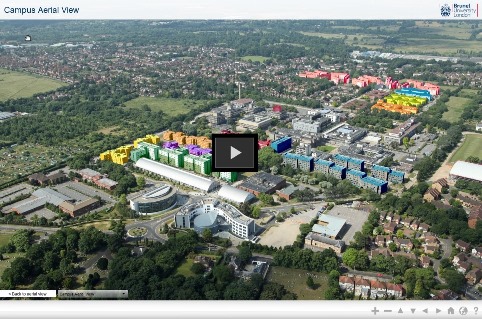
Useful information Deadline for campus single room applications: Virtual Tour
Did you know? Your rent includes your
bedding, wifi access, insurance, heating and lighting bills! Links Apply online now |








|
Brunel University London | Uxbridge | Middlesex |
UB8 3PH |
|
Contact Us
Question & Answer centre Virtual Tour Accommodation Website
Online Applications
Commercial Services |
View this email in your browser